
Fluent Forms review: the WordPress forms plugin I use on every client site
I was a Gravity Forms loyalist. Then this happened.
I paid for Gravity Forms. I recommended it to other designers. I built client sites with it for years. I genuinely thought it was just… what you used.
I’m Emma Kate, and I help graphic designers confidently build WordPress websites for clients, without code or overwhelm. Forms are one of those things every client site needs, and for a long time I thought the options were either complicated or ugly. Usually both.
Then I found Fluent Forms and had one of those where have you been all my life? moments. You know the feeling.
What is Fluent Forms?
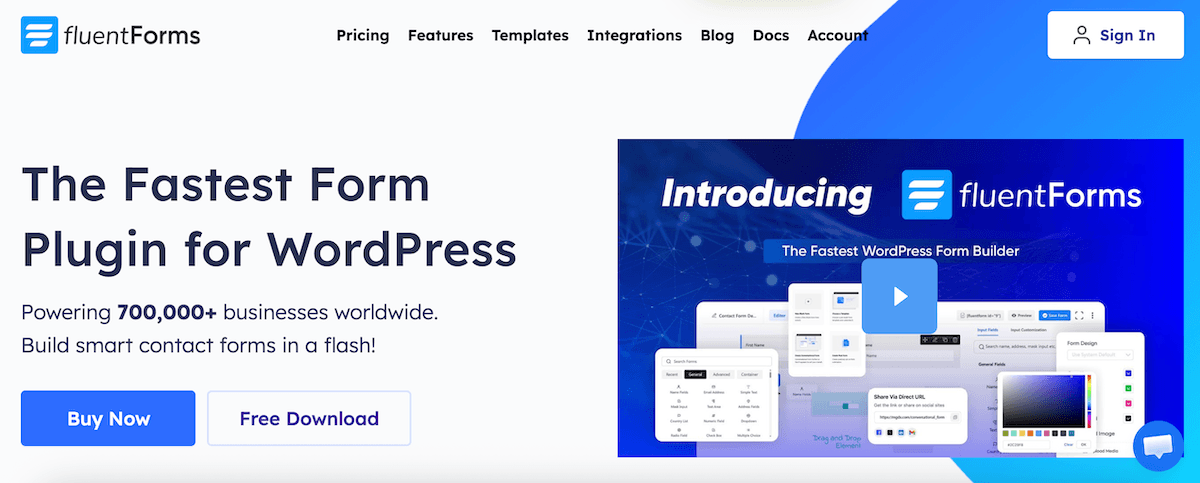
Fluent Forms is a WordPress forms plugin. It lets you build contact forms, lead capture forms, multi-step forms, and conversational forms, all directly inside WordPress, without touching a line of code or CSS.
The thing that stopped me first was how good it looks straight out of the box. No tweaking. No opening DevTools and squinting at form styles at 10pm. Just beautiful forms, immediately.
For a web designer whose job is to make everything look polished and intentional, that’s not a small thing.
Why Fluent Forms works so well for web designers and their clients
It’s beginner-friendly for your clients, not just you. Your clients will need to check form submissions, manage entries, and occasionally add a field after handover. Fluent Forms has an interface even the most tech-averse business owner can navigate without calling you in a panic.
Conversational forms, built right in. You can build Typeform-style forms directly inside WordPress. No third-party subscription, no embedding something from outside that clashes with your design. Clients love them, and completion rates are higher because they feel less like a chore to fill in.
It plays nicely with the tools designers actually use. Kit, Mailchimp, ActiveCampaign, Zapier, WooCommerce, Slack — Fluent Forms integrates with all of them. When a client needs a contact form that feeds straight into their email list or CRM, you’re not cobbling together a workaround.
Conditional logic that doesn’t require a degree to set up. Show or hide fields based on what a user selects. Build smarter forms that adapt to the person filling them in. It’s the kind of functionality that used to require a premium plugin. In Fluent Forms, it’s just there.
Spam protection that actually works. Honeypot, reCAPTCHA, and hCaptcha are all built in. Your clients won’t be drowning in bot submissions within a week of launching.
For more tools I use on every client site, check out my useful tools page.
At a glance
⭐ Fave feature: Conversational forms built right in. No Typeform subscription needed. Clients love them, completion rates are higher, and they look like you spent hours on them.
👎 Dislikes: The free version has limits on integrations and some advanced features. That said, it’s still more capable than most paid alternatives at this level.
🔄 Replaces: Gravity Forms (which costs more and can feel more complicated), Contact Form 7 (unreliable and hard to style), and any standalone Typeform subscription you’re paying for separately.
📅 How often: Every single client site. It’s been my default forms plugin for years.
My verdict: 5/5
Beautiful out of the box, genuinely powerful under the hood, and the free version is more than enough to get started. If you’ve been manually styling Contact Form 7 for years and quietly losing the will to live, this is the sign you needed.
Try Fluent Forms on your next client site
Start with the free version and see what I mean. Upgrade to paid when you’re ready for conversational forms, advanced integrations, and the features I rely on daily.
Heads up: the link below is an affiliate link. If you sign up, I may earn a small commission at no extra cost to you.
In My Stack: related editions
Other tools in my daily web design stack:
- Wispr Flow: AI dictation for writing faster
- Setapp: the Mac app subscription that replaced 10+ separate tools
- TextSniper: copies text from anything on your screen, including locked PDFs
- Divi: the WordPress theme and page builder behind every site I build
- Hoverify: x-ray vision for websites, inspect any element instantly
- Superhuman Mail: the email app that gets you out of your inbox faster

FAQ: Fluent Forms for web designers
Is Fluent Forms free?
Yes, there’s a solid free version available in the WordPress plugin directory. It covers basic contact forms and standard fields well. The paid version unlocks conversational forms, advanced integrations (Kit, ActiveCampaign, Zapier etc.), and additional field types. For most simple client sites, the free version is a great starting point.
How does Fluent Forms compare to Gravity Forms?
I used Gravity Forms for years and it’s a capable plugin. But Fluent Forms is faster, lighter on your site’s performance, more intuitive to build with, and better value. The interface is cleaner, the forms look better without additional styling, and conditional logic is easier to set up. It’s the switch I wish I’d made sooner.
Can my clients manage their own forms after handover?
Yes, and this is one of the things I love most about Fluent Forms. The interface is clean and straightforward enough that most clients can check submissions, export entries, and make small changes without needing to call you. It reduces post-launch support requests significantly.
Does Fluent Forms slow down WordPress sites?
Fluent Forms is built to be lightweight and fast. It only loads its scripts on pages where a form actually appears, which keeps your site performance clean. It’s one of the reasons I switched from Gravity Forms, which can add unnecessary bloat to pages that don’t even have forms on them.
What’s the difference between a conversational form and a standard form?
A standard form shows all fields at once, like a traditional contact form. A conversational form shows one question at a time, in a more interactive, chat-like experience. They tend to have higher completion rates because they feel less overwhelming, particularly for longer forms like client discovery questionnaires or application forms.
💌
Web Boss Weekly
Over 35,000 designers are already getting practical web design tips, and behind-the-scenes business goodness delivered straight to their inbox from me. Want in?
About the author
Emma Kate has spent years helping graphic designers add WordPress web design to their client offerings, confidently and without code. You’ll find her inside her self-paced courses, the WP Mavens membership for web designers, and the Consistent Clients Club for designers building a sustainable client base. She is also the co-founder of the Designer Boss Summit, one of the biggest events in the design community. Watch the free training to see what’s possible.